
AI automation cost for a small business comes from four parts: the software plan, the AI usage fees, the one-time setup work and the monthly upkeep. A simple workflow can start on a free or low-cost plan. However, projects that connect many systems need a bigger budget. Below, we show each part with real tool prices.
What makes up AI automation cost?
Most owners ask for one number. Still, a single number hides where the money goes. So it helps to split the budget into four layers before you talk to any vendor.
- Platform fees. This is the monthly plan for a tool such as Zapier, Make or n8n. It runs the workflow.
- AI usage fees. When a step calls an AI model, the AI provider bills you for that use. Busy workflows use more.
- Setup work. Someone has to map the process, connect your apps, write the prompts and test everything. This is usually a one-time cost.
- Upkeep. Apps change, logins expire and prompts need tuning. Somebody has to watch the workflow after launch.
Also, there is a fifth, quiet cost: your own team’s time. Staff need to review AI output, learn the new steps and flag problems. Put a few hours for this in your plan, since it is a real part of your AI automation cost.
How do platform fees affect AI automation cost?
The platform is the easiest layer to price, because the big tools publish their plans. However, each tool counts usage in a different way. That difference often matters more than the sticker price.
| Tool | Free option | Entry paid plan | What you pay for |
|---|---|---|---|
| Zapier | 100 tasks per month | Professional, from $19.99 per month | Each successful action step counts as a task |
| n8n (cloud) | Self-hosted version on GitHub | Starter, 20 euros per month billed yearly, 2,500 executions | One execution is one full run of a workflow |
| Make | 1,000 credits per month | Paid plans listed on its pricing page | Most actions use one credit, and AI features can use more |
You can check the current numbers on the Zapier pricing page, the n8n pricing page and the Make pricing page. Prices change often, so check them on the day you decide.
Why the counting method matters
Zapier bills per action step. So a workflow with ten action steps uses about ten tasks every time it runs. In contrast, n8n bills per execution, and its pricing page says the number of steps does not change that count. For long workflows that run often, this gap can add up fast.
For example, imagine a lead workflow with eight action steps that runs 300 times a month. On a per-step model, that is about 2,400 tasks. On a per-run model, it is 300 executions. Do this quick math for your own process before you pick a tool, because it can change your AI automation cost more than the plan price.
What do AI model fees add to AI automation cost?
Many workflows call an AI model to read an email, sort a ticket or draft a reply. The AI provider bills that use separately from the platform plan. Also, some platforms charge extra credits for their built-in AI steps. Make, for instance, says AI features can use more than one credit.
The good news is that light tasks often cost little. Still, three things push this layer up:
- Long inputs. Sending whole documents or long email threads to the model costs more than short text.
- Bigger models. Top models usually cost more per use than small, fast ones.
- High volume. A step that runs thousands of times a month adds up, even at a low unit price.
So test with a small, cheap model first. Then move up only if the output is not good enough. Also, set a monthly spending limit in your AI provider account, so a broken loop cannot run up a surprise bill.
How do setup and upkeep shape AI automation cost?
Setup is where quotes differ the most, and it is often the biggest part of the AI automation cost in year one. A simple two-app workflow may take a few hours. On the other hand, a process that touches your CRM, your inbox, your store and a custom database can take weeks.
What raises the setup price
- The number of apps the workflow connects
- Apps without a ready-made connector, which need custom API work
- Messy data that must be cleaned before the AI can use it
- Rules for privacy, approvals or audit logs
- How many edge cases the workflow must handle
What upkeep covers
After launch, someone should check error logs, fix broken connections and update prompts when your offers change. Some owners do this in house. Others pay a monthly support plan. Either way, budget for it, because unwatched workflows tend to fail without warning.
At HiveNexis, we price setup by scope after we map the process with you. Our service plans start from the rates on our pricing page, and we share an itemized quote before any work begins.
How do you estimate your AI automation cost?
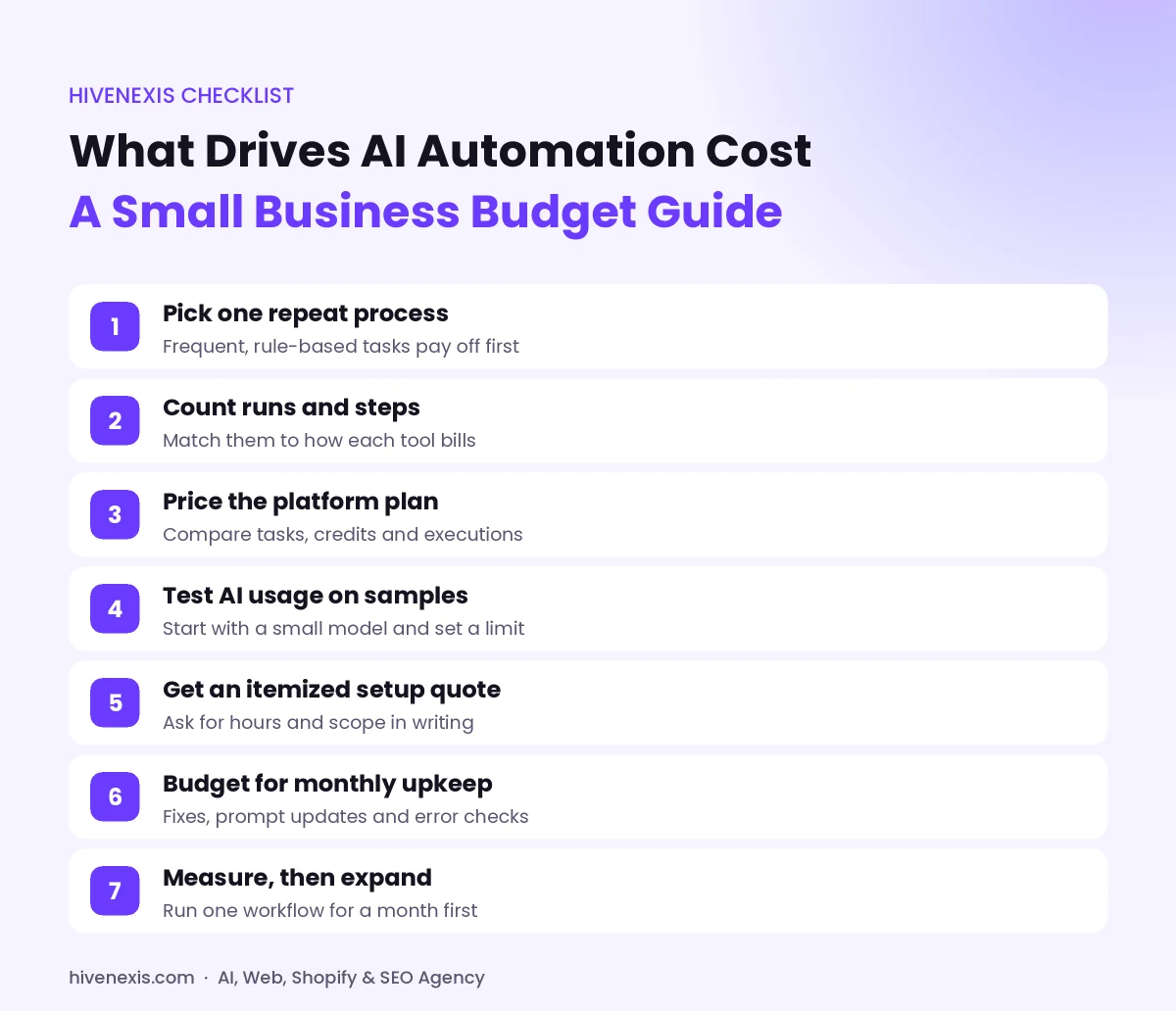
You can build a rough first-year number in about an hour. Follow these steps:
- Pick one process. Choose a task that is frequent, rule-based and boring, such as lead intake or invoice entry.
- Count the runs. Write down how many times it happens each month.
- Count the steps. List every action, then match it to the counting method of each tool.
- Price the platform. Use the published plan that covers your monthly volume.
- Estimate AI usage. Test a few real samples and check the usage report in your AI account.
- Get a setup quote. Ask for hours and scope in writing, not just a total.
- Add upkeep. Include monthly support or your own staff hours.
Then add it up: first-year cost = setup + (12 x monthly platform) + (12 x monthly AI usage) + (12 x monthly upkeep). Compare that total AI automation cost with the hours your team gets back, but only count hours you will use for other paid work.
Is AI automation worth the money?
It depends on the process, not on the tool. Automation pays off best when a task repeats many times, follows clear rules and costs real staff time today. However, it pays off poorly when a task happens a few times a month or changes every week.
Also, not every workflow needs AI. Plain rules, such as “copy this form to the CRM,” are cheaper and more stable without a model. Add AI only where a step needs reading, sorting or writing. Our guide to intelligent business automation explains how to spot those steps.
Finally, start small. Launch one workflow, measure it for a month, and then expand. If you want a full roadmap, see our step-by-step process automation guide.
How can you keep AI automation cost under control?
A few habits keep your AI automation cost steady as you grow:
- Use filters early in a workflow, so runs stop before they reach paid steps.
- Send the AI only the text it needs, not whole files.
- Review your task, credit or execution usage every month.
- Remove workflows nobody uses anymore.
- Ask vendors who owns the accounts, so you are not locked in.
Our team at HiveNexis builds and supports these systems for businesses in the USA, Australia and Pakistan. You can learn more about our AI business automation services, or book a free 30-minute call and we will map your first workflow with you.
Frequently Asked Questions
How much does AI automation cost for a small business?
It depends on scope. Some tools have free plans for light use, and entry paid plans start low each month. Setup work and monthly upkeep usually make up the larger share, so ask for an itemized quote.
Is Zapier or n8n cheaper for automation?
It depends on your workflow. Zapier counts each successful action step as a task, while n8n counts one full workflow run as one execution. Long workflows that run often may cost less on a per-run model.
Do I need AI in every automated workflow?
No. Simple rule-based steps, such as copying form data into a CRM, work well without AI. Add an AI model only where a step needs reading, sorting or writing text.
What hidden costs should I plan for?
Plan for data cleanup, AI usage that grows with volume, fixes when connected apps change, and the staff time needed to review AI output and learn the new process.
How long does it take to set up AI automation?
A simple two-app workflow can be ready in a few days. Projects that connect several systems or need custom API work can take a few weeks, including testing.