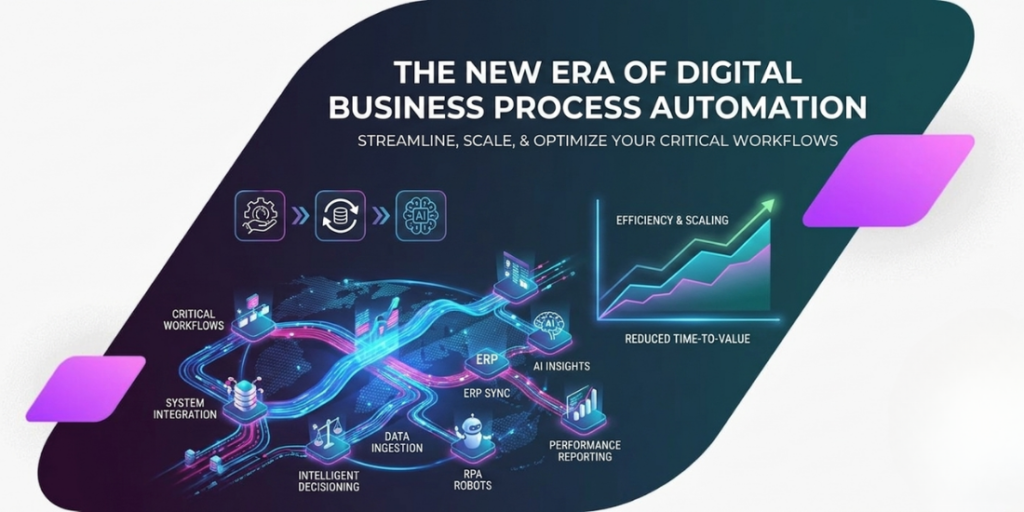
Most businesses don’t really think about their processes until things start slowing down. At first, everything feels manageable, emails are answered quickly, approvals happen on time, and teams know what they’re doing. But as the business grows, things start slipping. Work gets stuck in inboxes. People forget follow-ups. Simple tasks suddenly take days instead of hours. That’s usually the point where digital business process automation enters the conversation. Not as a buzzword. More like a quiet fix for messy workflows.
So what is digital business process automation really?
If you strip away the technical language, it’s basically this:
Let systems handle the boring, repeatable work so humans don’t have to keep doing it manually.
That could be something as simple as sending an approval request when a form is filled, or moving customer data from one system to another without someone copying it.
Nothing dramatic. Just less clicking, less chasing, fewer mistakes.
The interesting part is that most companies are already doing parts of this—they just don’t call it automation yet.
Why everyone suddenly cares about it
It’s not because automation is new. It’s because businesses are finally hitting a wall.
You can’t scale smoothly if everything depends on manual follow-ups. Eventually, someone becomes the bottleneck, even if they’re really good at their job.
And that’s usually when problems show up:
- Tasks get delayed for no real reason
- Teams keep asking, “Did anyone follow up on this?”
- The same errors keep repeating
- Customers feel the delays, even if they don’t see the cause
Automation becomes attractive at that point not because it’s trendy, but because manual work just stops keeping up.
The kinds of work that actually get automated
Not everything should be automated, even if it technically can be.
The best candidates are usually the repetitive ones. The stuff people do is almost on autopilot already.
Things like:
- Sending approval emails back and forth
- Moving information between tools
- Assigning tickets or tasks
- Sending reminders that everyone forgets manually
- Updating spreadsheets or records
If a task feels like “why are we still doing this by hand?”, it’s probably automation-ready.
Before you automate anything, watch your workflow first
This is the part most people rush through, and it usually causes problems later.
Because automation doesn’t fix a broken process it just speeds it up.
So before anything else, you need to actually see how work is moving right now. Not how it’s supposed to move, but how it really moves.
Where does work get stuck?
Who is waiting on who?
What gets forgotten the most?
Which steps feel unnecessary even to the people doing them?
Once you start noticing that, automation ideas basically surface on their own.
Getting clear on what you actually want
A lot of companies say they want “automation,” but that’s not really a goal.
It’s like saying you want a faster car without knowing where you’re going.
A better way to think about it is outcomes:
- “We want fewer delays in approvals”
- “We want onboarding to take less time”
- “We want customers to get responses faster”
Now it’s something you can actually measure later.
Otherwise, you end up automating for the sake of it and that rarely works out well.
Tools matter, but not as much as people think
There are a lot of platforms out there promising to automate everything. Some are simple, some are extremely advanced.
But in real life, most businesses don’t fail because they chose the wrong tool. They fail because they tried to automate a messy process.
Still, the tool should at least make your life easier, not harder.
What usually matters most is:
- Does it connect with what you already use?
- Can your team actually use it without training for weeks?
- Will it still work when things scale?
Everything else is secondary.
How automation actually gets built inside a company
It usually starts small. Not with some big transformation plan, but with one annoying process everyone already complains about.
Something simple like invoice approvals or onboarding emails.
Once that’s automated and people feel the difference, things move faster, fewer reminders are needed, that’s when momentum builds.
Then the next process follows. And the next one after that.
It spreads more naturally than people expect.
Where Hivenexis fits into this picture
Companies like Hivenexis usually come in when businesses are stuck between knowing they need automation and not knowing how to structure it properly.
Because the real challenge isn’t just “setting up tools.”
It’s figuring out:
- what should be automated first
- how workflows should actually be designed
- how different systems should talk to each other without creating chaos later
That’s where a more structured approach makes a difference—especially when businesses are trying to avoid building disconnected automation that doesn’t scale.
The human part nobody talks about enough
There’s always a bit of resistance when automation comes in.
Not because people don’t like efficiency, but because change feels uncertain. Especially if someone thinks automation might take away part of their role.
But in most cases, what actually happens is different.
People stop doing repetitive tasks and start focusing more on the work that actually requires thinking.
The key is how you introduce it. If people see it as a replacement, they resist it. If they see it as removing annoying work, they usually accept it quickly.
How you know it’s actually working
After a while, you can tell if automation is helping without even looking at dashboards.
Work just feels smoother.
But on paper, the signs are clearer:
- Things move faster without chasing
- Fewer manual errors show up
- People spend less time on repetitive tasks
- Customers get quicker responses
If nothing changes, then the workflow probably wasn’t designed well in the first place.
What usually goes wrong
A few things tend to repeat across almost every failed automation attempt:
Sometimes people automate too early before understanding the process properly.
Sometimes they overcomplicate something simple.
Sometimes systems don’t connect well and create more manual work instead of less.
And sometimes teams just aren’t sure who owns what anymore.
None of these are unusual. They just get ignored until they become bigger problems.
Where this is all heading
Automation is slowly becoming less about “doing tasks automatically” and more about systems that can actually make small decisions on their own.
AI is pushing that shift forward. Not in a dramatic way, but gradually—step by step.
But even with all that progress, the basics haven’t changed.
If your processes are unclear, automation won’t fix them. If your data is messy, automation won’t magically clean it. It still comes down to getting the fundamentals right.
Final thought
Digital business process automation sounds technical, but in practice it’s pretty simple.
It’s just about removing unnecessary friction from the way work gets done.
The companies that do it well don’t rush it. They start small, fix real problems, and build from there.
And over time, the difference becomes obvious not because things look more “automated,” but because work stops feeling chaotic.
What is digital business process automation?
It’s when businesses use technology to handle repetitive tasks so people don’t have to do them manually.
Do small businesses need automation?
Yes, often even more than large companies because it helps them scale without adding extra workload.
What should be automated first?
Start with repetitive tasks that follow clear rules, like approvals or data entry.
Will automation replace jobs?
Usually no. It tends to shift people away from repetitive work toward more meaningful tasks.
How long does it take to set up?
Simple workflows can be set up fairly quickly, while complex systems take longer depending on integrations.