Your Shopify store cost depends on three things: your plan, your setup work and the apps you add. Shopify’s Basic plan alone runs $29 to $39 a month. However, themes, apps, payment fees and build help can push the first-year total much higher. So this guide breaks down every cost, line by line.
Many store owners only look at the plan price. As a result, the real bills arrive a few months later. For example, an extra app here or a payment fee there can add up fast. In this post, we show what you will pay up front, what you will pay every month and what most budgets forget.
What Makes Up Your Shopify Store Cost?
It helps to split your budget into two groups. First, there are one-time costs. Second, there are costs that repeat every month or year.
One-time costs
- A paid theme, if you choose not to use a free one
- Design, setup and development work
- Product photos and written product descriptions
- Moving products, customers and orders from an old store
Recurring costs
- Your Shopify plan
- Paid apps, which usually bill every month
- Your domain name, which renews every year
- Payment processing fees on every sale
- Updates, fixes and ongoing support
This split matters because a low setup price can still lead to a high yearly bill. On the other hand, a smart build can keep your monthly costs low for years.
How Much Are Shopify Plans in 2026?
Your plan is the base of your Shopify store cost. Here are the US prices listed on the official Shopify pricing page in November 2026.
| Plan | Paid yearly | Paid monthly | Online card rate | Staff accounts |
|---|---|---|---|---|
| Basic | $29/mo | $39/mo | 2.9% + 30¢ | Extra staff not included |
| Grow | $79/mo | $105/mo | From 2.7% + 30¢ | Up to 5 |
| Advanced | $299/mo | $399/mo | From 2.5% + 30¢ | Up to 15 |
| Plus | Starts at $2,300/mo | From 2.25% + 30¢ | Unlimited | |
First of all, paying yearly saves you money on every plan. Also, Shopify often runs a trial offer. At the time of writing, it was three days free, then $1 a month for three months. Still, offers change, so check the pricing page before you sign up.
Which plan should you pick?
Most new stores do well on Basic. Then, move to Grow when you need more staff accounts or lower card rates. Meanwhile, Advanced and Plus make sense for high-volume brands. In short, start small and upgrade when your sales justify it.
How Do Themes, Domains and Apps Change Your Shopify Store Cost?
After the plan, these three items shape your monthly and yearly bills.
Themes
Every plan comes with free themes. In fact, many of them work well for a first store. Meanwhile, Shopify’s own ecommerce website cost guide lists prebuilt themes at $0 to $500. Also, a paid theme is usually a one-time purchase, not a monthly fee.
Domain name
To begin with, a custom domain makes your brand look trustworthy. The same Shopify guide puts store domains at about $10 to $30 per year. So this is one of the smallest costs on your list.
Apps
Apps are where budgets tend to grow. The Shopify App Store has more than 13,000 apps, and many are free. However, paid apps usually charge a monthly fee. For example, reviews, subscriptions, upsells and email tools can each add a new bill.
Here is a simple rule. First, install an app only when it solves a clear problem. Then review your app list every quarter and remove the ones you no longer use.
How Do Payment Fees Affect Your Shopify Store Cost?
Payment fees are easy to forget because they do not show up as a fixed bill. Instead, you pay them on every order.
With Shopify Payments, you pay a card rate on each online sale. On Basic, that is 2.9% + 30¢. In contrast, higher plans offer lower rates. Also, if you use a third-party payment provider instead, Shopify adds an extra transaction fee. That fee is 2% on Basic and lower on higher plans.
So, as your sales grow, these fees can cost more than your plan. That is often the best reason to upgrade. After all, a lower card rate can pay for the higher plan price once you sell enough.
Which Hidden Items Add to Your Shopify Store Cost?
Our team at HiveNexis builds, fixes and migrates Shopify stores. These are the costs we see store owners forget most often:
- Product photos. Good photos sell products. Poor photos lose sales, even on a great theme.
- Product copy. Similarly, clear and helpful descriptions take real time to write.
- Email marketing. Shopify Email gives you 10,000 free sends each month, then charges $1 per 1,000 emails.
- Data migration. Moving from another platform needs care, or you can lose SEO rankings.
- Maintenance. Apps update, themes change and, eventually, small bugs appear.
- Marketing. A new store needs traffic, so plan a separate budget for ads and SEO.
None of these items is optional for a serious store. So add each one to your plan, even if the first number is small.
Should You Build It Yourself, Hire a Freelancer or Use an Agency?
Above all, your setup choice changes your total spend. Shopify’s own guide lists custom-built website development at $2,000 to $20,000 or more, depending on how complex the store is. Here is how the three paths compare.
| Option | Best for | Main upside | Main risk |
|---|---|---|---|
| Do it yourself | Small catalogs and tight budgets | Lowest cash cost | Slow launch and costly mistakes |
| Freelancer | Simple setups and small fixes | Flexible and often cheaper | Quality and support can vary |
| Agency | Custom design, migrations and growth | Full team for design, SEO and support | Higher up-front price |
Doing it yourself is fine for a test store. However, many owners later pay twice to fix a rushed build. On the other hand, a skilled partner gets the structure, speed and SEO right from day one. If you plan to hire, our guide on choosing the right Shopify developer walks through the key questions to ask.
How Do You Plan a Realistic First-Year Budget?
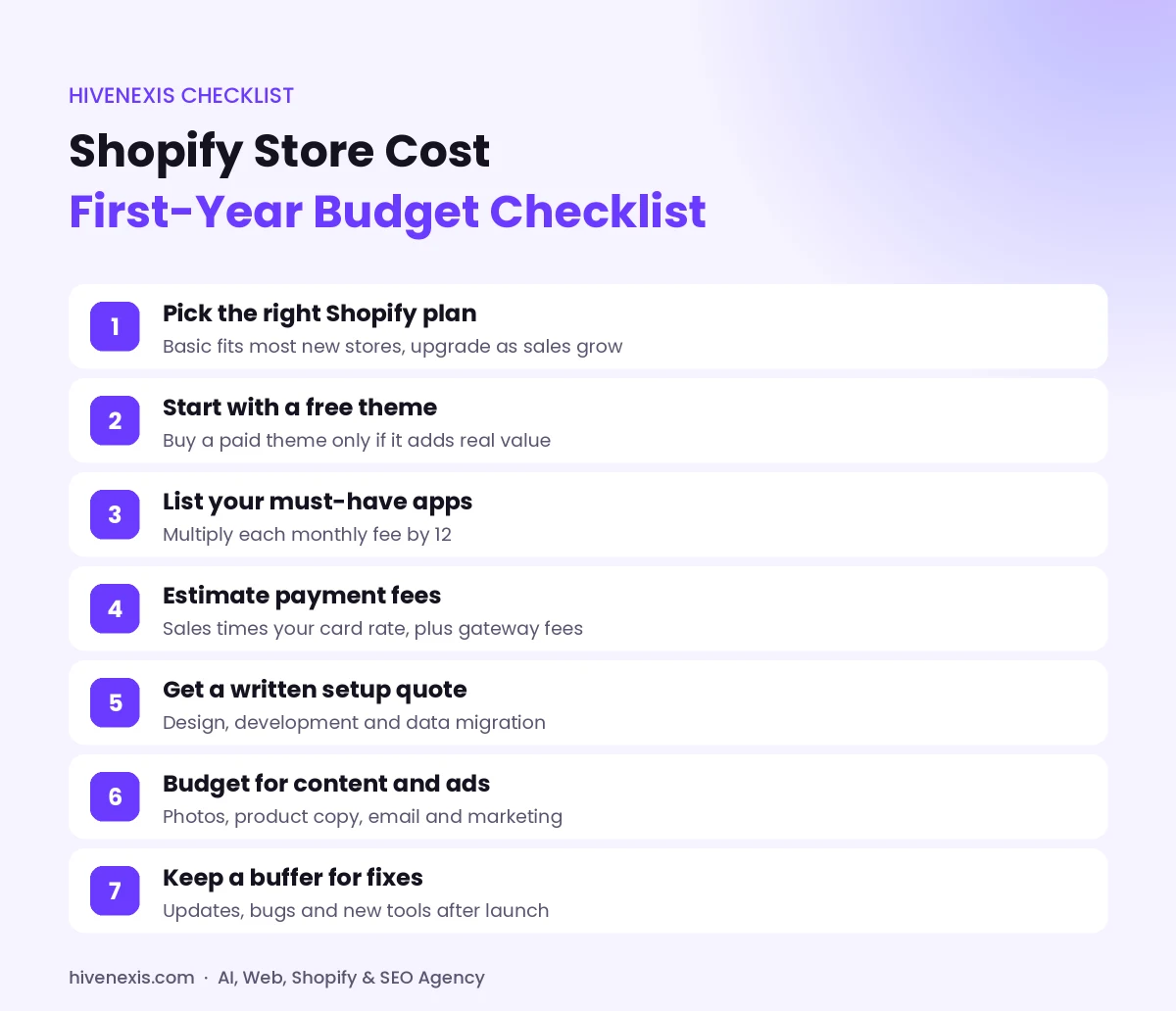
Before anything else, a clear budget stops surprise bills. Follow these steps before you launch:
- Pick your plan. Start with the plan that fits today, not next year.
- Choose your theme. Test a free theme first, then decide if a paid one adds real value.
- List your must-have apps. Write down each monthly fee and multiply it by 12.
- Estimate payment fees. Multiply your expected sales by your card rate.
- Price your setup work. Get a written quote for design, development and migration.
- Add content and marketing. Include photos, copy, email and ads.
- Keep a buffer. Set aside extra money for fixes and new tools after launch.
Then add these numbers together. The result is your true first-year Shopify store cost, not just the sticker price. If you are starting from scratch, our guide to building your first store explains each setup step in more detail.
How Can You Lower Your Shopify Store Cost Without Cutting Corners?
Fortunately, you do not need to spend big to launch well. Instead, spend on the things that move sales. Here are a few tips we share with our clients:
- Pay yearly once you are sure Shopify is the right fit.
- Use built-in Shopify features before you add an app.
- Pick a fast, well-supported theme and customize it, rather than building from zero.
- Remove unused apps, since they can also slow down your site.
- Set up SEO basics at launch, because fixing them later costs more.
Also, think about cost per sale, not just cost per month. For instance, a better checkout or faster page can earn back its price.
Want an Exact Quote for Your Shopify Store Cost?
Every store is different. Therefore, a clear quote beats a guess. At HiveNexis, our Shopify development team builds, migrates and grows stores for brands in the US, Australia and beyond. Our Shopify packages show clear starting-from prices on the HiveNexis pricing page.
Want a plan that fits your budget? Book a free 30-minute call and we will map out your Shopify store cost with you, step by step.
Frequently Asked Questions
How much does a basic Shopify store cost per month?
On Shopify’s Basic plan, you pay $29 a month when billed yearly or $39 a month when billed monthly. Then add any paid apps, your domain and payment fees on each sale.
Can I start a Shopify store for free?
You can start with a short free trial and a free theme. However, you need a paid plan to keep selling, and you will also pay card fees on each order.
Is it cheaper to pay for Shopify yearly?
Yes. Every main plan costs less per month when you pay yearly. For example, Basic drops from $39 to $29 a month.
Do I need to pay for a Shopify theme?
No. Every plan includes free themes, and many work well for new stores. A paid theme is a one-time purchase that can add extra design options.
How much does it cost to hire someone to build a Shopify store?
It depends on your scope. Shopify’s own guide lists custom development at $2,000 to $20,000 or more. A short call with a developer is the best way to get an exact quote.